Reserved Inventory (Quantity Reserved)
Reserved inventory (also displayed as `Quantity reserved`) is a manual way to set aside units of a product so they are not available for new orders. Reserved quantities reduce the product's available units immediately — they are not created via purchase orders and are not attached to a specific location.
How it works
When you set a reserved quantity on a product (global or per-warehouse), that number is subtracted from `quantity_available` using the core availability formula:
available = on_hand - non_sellable - allocated + sell_ahead - reserved - backordered
Reserved units are blocked from availability/allocation until the reservation is removed or reduced.
Note:
- Per-warehouse reservations: you can set `Quantity reserved` for each warehouse. This reserves stock at the warehouse level (not tied to any location) and removes those units from availability for that warehouse.
- Not via POs: reserved quantities are configured directly on the product (or Product → Warehouse) and are not created by purchase orders.
- Location association: reserved quantities do not belong to a specific location; they simply reduce available inventory for allocation at the product/warehouse level.
Example
You have 10 units physically on hand and 10 units available. If you set a reserved quantity of 5, then only 5 units remain available for new orders; the 5 reserved units are blocked and cannot be allocated.
How to set a reserved amount
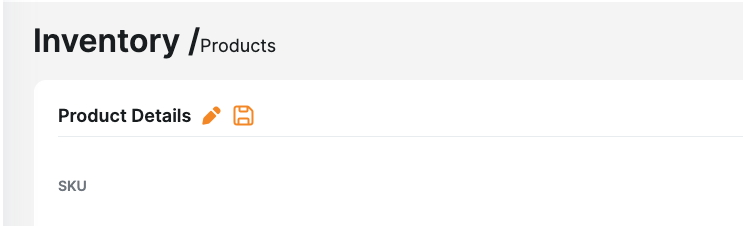
1. Go to Inventory → Products and open the product you want to reserve.
2. Click Edit (pencil icon) / Update product.
3. If your account uses a single warehouse, set `Quantity reserved` to the number you want to reserve. If you use multiple warehouses, set the `Quantity reserved` field for the specific warehouse(s).
4. Save the product. The reserved number will immediately reduce the product's available quantity.
API examples
Single-warehouse (set a global reserved quantity):
PATCH /api/v1/products/{product_id}
{
"data": {
"type": "products",
"id": "{product_id}",
"attributes": {
"quantity_reserved": 5
}
}
}
Multi-warehouse (set per-warehouse reserved quantities):
PATCH /api/v1/products/{product_id}
{
"data": {
"type": "products",
"id": "{product_id}",
"attributes": {
"quantity_reserved": {
"123": 5, // warehouse_id 123 → reserve 5
"456": 2 // warehouse_id 456 → reserve 2
}
}
}
}
Removing or changing a reservation
To remove a reservation, set the reserved quantity to `0` (or reduce the number). Saving the product will return those units to availability and allocation cycles will consider them again.
Allocation holds vs reservations
`Allocation hold` on an order prevents the system from allocating inventory to that order (useful for payment or verification workflows). It does not permanently reduce product availability like `Quantity reserved` does — allocation hold stops allocation for specific orders only.
When to use reservations (recommended scenarios)
- Block stock for a long-running customer commitment or internal use that should not be sold.
- Temporarily set aside stock for a special project or sampling program where you want to reduce availability but the stock is still physically present.