Live Shipping Charges
Your clients no longer have to wait for the invoice to find out what a label cost them. With Live Shipping Charges, each shipment shows its charge the moment it ships, in the Shipments report and the Public API. You see it right next to your carrier cost. They see the charge, and never your cost.
⚠️ This feature is OFF by default. Packiyo turns it on with you, and all clients under your 3PL will be able to see shipping charges. Reach out to your Packiyo contact when you're ready.
What it does
Once it's on, every shipment gets a Shipping charge: the amount your client is billed for that shipment's label, based on your shipping label rate.
It shows up as soon as the shipment ships.
- It's locked in at that moment. If you edit the rate later, or recalculate an invoice, the charge doesn't move.
- The invoice bills that exact amount, so what your client sees is what they pay.
- Your carrier cost stays hidden from your clients, same as always.
Before you switch it on
A quick checklist so nothing catches you or your clients off guard:
- The charge is locked. Turning this on means you're committing to the amount shown at ship time. Rate edits only affect shipments that ship afterward.
- Clients need to tick the column once. Shipping charge is off by default in Edit Columns, so each user turns it on themselves. Saved column layouts also shift by one position the first time the feature is switched on, so give your clients a heads-up.
- Invoice line type changes. Charges show up as a generic charge line instead of the usual shipping-label line (more below). Check that nothing you run reads the old line type.
- Older shipments aren't back-filled. Anything that shipped before switch-on stays blank and bills at invoice time like always.
What you see
- Go to Reports → Shipments.
- Click Edit Columns.
- Tick Shipping charge.
- Save. The column sits right after Cost per package, so you can compare your cost and the client's charge side by side.
The column comes along in the CSV export too.
Public API: Shipments and Shipment Report Rows both return a read-only shipping_charge field, alongside the cost fields you already get. It's only there when the feature is on.
What your clients see
Your clients see the same Shipping charge, minus anything about your cost.
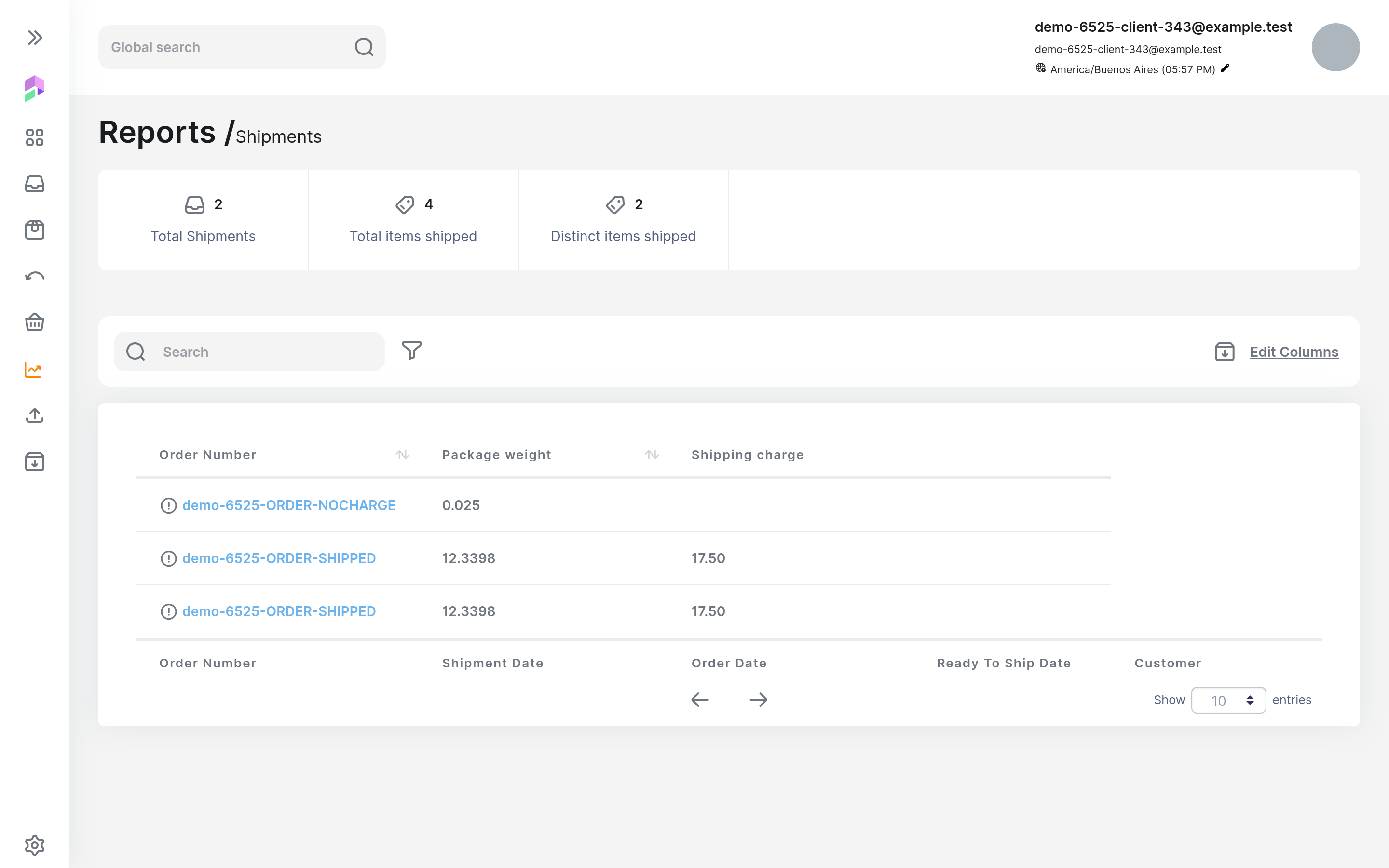
- In the Shipments report, they tick Shipping charge in Edit Columns the same way. It sits after Package weight, and the cost columns aren't offered to them at all.
- Through the Public API, they get shipping_charge and no cost field.
- It also shows up in their CSV export.
If the feature is off for your account, Shipping charge doesn't appear in Edit Columns or the Public API for anyone.
Understanding the numbers
A blank means nothing was charged. An empty Shipping charge means nothing was charged for that shipment. It's blank on purpose, never 0.00, so nobody mistakes it for a free label. You and your clients will see a blank when:
- No shipping label rate matched the shipment.
- It shipped before the feature was switched on.
- It was recorded through the CSV ship import or the Public API's create shipment call. These don't get a live charge yet, but they're still billed on the invoice like always.
- It's a child order.
- It ships on third-party billing, unless the rate is set to charge labels billed to a 3rd-party account. Only a rate set up that way charges those shipments.
Multi-package shipments: don't add up the rows
The charge is per shipment, not per package, and it's calculated on the combined cost of every package. Every package row shows the whole shipment's charge.
🚨 If you add up the Shipping charge column in a spreadsheet, a two-package shipment gets counted twice. The invoice only bills it once.
Example: An order ships in two packages costing 10.00 and 5.00. With a rate of 110% of cost plus a 1.00 flat fee, the charge is 17.50 on both rows. The client is charged 17.50, not 35.00.
What happens if a label gets voided?
If you void a label before it's billed on a finalized invoice:
- The shipment shows as VOIDED.
- Its Shipping charge disappears.
- The client isn't billed for it.
If the label is already on a finalized invoice, the charge stays, because that invoice still includes it. We never edit an invoice that's already finalized.
An invoice that's calculated but not finalized yet may still show the voided shipment until it's recalculated. After that, the voided charge drops off.
How it shows up on invoices
The invoice bills each Shipping charge exactly as it was at ship time. Heads up on how it looks: these labels appear as a generic charge line, not the usual shipping-label line, and they're dated by the ship date, not the end of the invoice period.
The amounts are the same. If you read invoice lines by type through the API or exports, make sure whatever you run looks for the right line.
Quick answers
Will the charge change if I edit my shipping label rate? Nope. Charges are locked when the shipment ships. Rate edits only apply to shipments that ship after the change.
Will the invoice match what my client saw in the report? Yes. The invoice bills the exact Shipping charge amount.
Can my clients see my carrier cost? No. Cost columns aren't offered to them in the report, and the API doesn't return a cost field to them.
Can I edit a Shipping charge? No. It's read-only everywhere.
Can we back-fill older shipments? No. Shipments from before switch-on stay blank and bill at invoice time as usual.
Still stuck?
Reach out to your Packiyo, or send us a ticket and we'll dig in with you.